
Blox Fruits is an immensely popular game on the Roblox platform, boasting a vast user base. lex booster This action-adventure game revolves around a pirate theme, where players enagage in combat against a variety of enemies and challenging bosses. Exploring islands and consuming different fruits are essential for advancing your character’s level. This is a free and keyless script for Attack on Titan Revolution with Auto Farm, Safe Farm, and many more features

Description
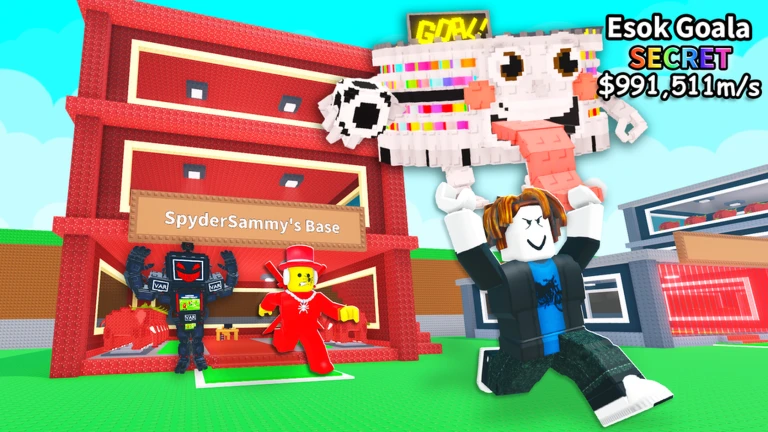
This script is a simple booster for Steal a Brainrot, featuring two useful functions to improve your gameplay. It is designed to work with Xeno, Delta, and most other popular Roblox executors. While I’ve personally confirmed it works on Xeno, it should also be compatible with many other executors.How to Use Roblox Script?
- Launch Roblox and join your desired game.
- Click the “Copy” button to duplicate the script code.
- Paste the script code into your preferred Roblox executor.
- Execute the script code and savor the enhanced experience.
Game Name
Steal a Brainrot
auto tp
speed boost
--[[
    Lex Movement Tools - Focused Version (Delta/Xeno)
    - Speed Booster + Live Speed ESP
    - Auto Jump + Instant TP Down (15 studs)
]]

local Players = game:GetService("Players")
local RunService = game:GetService("RunService")
local UserInputService = game:GetService("UserInputService")
local LocalPlayer = Players.LocalPlayer

-- Settings
local Settings = {
    Speed = 29.7,
    RiseHeight = 15,
    RiseTime = 0.7,
}

-- UI
local ScreenGui = Instance.new("ScreenGui")
ScreenGui.Name = "LexMovementTools"
ScreenGui.Parent = LocalPlayer:WaitForChild("PlayerGui")
ScreenGui.ResetOnSpawn = false

local MainFrame = Instance.new("Frame")
MainFrame.Size = UDim2.new(0, 260, 0, 180)
MainFrame.Position = UDim2.new(0.5, -130, 0.2, 0)
MainFrame.BackgroundColor3 = Color3.fromRGB(20, 20, 20)
MainFrame.BorderSizePixel = 0
MainFrame.Active = true
MainFrame.Draggable = true
MainFrame.Parent = ScreenGui

local UICorner = Instance.new("UICorner", MainFrame)
UICorner.CornerRadius = UDim.new(0, 10)

local UIStroke = Instance.new("UIStroke", MainFrame)
UIStroke.Color = Color3.fromRGB(255, 255, 255)
UIStroke.Thickness = 1.5

local Title = Instance.new("TextLabel", MainFrame)
Title.Size = UDim2.new(1, 0, 0, 30)
Title.Position = UDim2.new(0, 0, 0, 6)
Title.BackgroundTransparency = 1
Title.Text = "Lex Movement Tools"
Title.TextColor3 = Color3.fromRGB(255, 255, 255)
Title.Font = Enum.Font.GothamBold
Title.TextSize = 16

-- Speed Booster
local SpeedLabel = Instance.new("TextLabel", MainFrame)
SpeedLabel.Size = UDim2.new(1, -20, 0, 18)
SpeedLabel.Position = UDim2.new(0, 10, 0, 40)
SpeedLabel.BackgroundTransparency = 1
SpeedLabel.Text = "Speed Booster"
SpeedLabel.TextColor3 = Color3.fromRGB(255, 255, 255)
SpeedLabel.Font = Enum.Font.GothamBold
SpeedLabel.TextSize = 13
SpeedLabel.TextXAlignment = Enum.TextXAlignment.Left

local SpeedBox = Instance.new("TextBox", MainFrame)
SpeedBox.Size = UDim2.new(0, 80, 0, 26)
SpeedBox.Position = UDim2.new(0, 10, 0, 62)
SpeedBox.BackgroundColor3 = Color3.fromRGB(35, 35, 35)
SpeedBox.TextColor3 = Color3.fromRGB(255, 255, 255)
SpeedBox.Text = tostring(Settings.Speed)
SpeedBox.Font = Enum.Font.Gotham
SpeedBox.TextSize = 14
SpeedBox.ClearTextOnFocus = false
Instance.new("UICorner", SpeedBox)

local SpeedToggle = Instance.new("TextButton", MainFrame)
SpeedToggle.Size = UDim2.new(0, 130, 0, 26)
SpeedToggle.Position = UDim2.new(0, 100, 0, 62)
SpeedToggle.BackgroundColor3 = Color3.fromRGB(200, 50, 50)
SpeedToggle.Text = "OFF"
SpeedToggle.Font = Enum.Font.GothamBold
SpeedToggle.TextSize = 13
SpeedToggle.TextColor3 = Color3.new(1, 1, 1)
Instance.new("UICorner", SpeedToggle)

-- Auto Jump + TP
local AutoLabel = Instance.new("TextLabel", MainFrame)
AutoLabel.Size = UDim2.new(1, -20, 0, 18)
AutoLabel.Position = UDim2.new(0, 10, 0, 100)
AutoLabel.BackgroundTransparency = 1
AutoLabel.Text = "Auto Jump + TP Down (15 studs)"
AutoLabel.TextColor3 = Color3.fromRGB(255, 255, 255)
AutoLabel.Font = Enum.Font.GothamBold
AutoLabel.TextSize = 13
AutoLabel.TextXAlignment = Enum.TextXAlignment.Left

local AutoToggle = Instance.new("TextButton", MainFrame)
AutoToggle.Size = UDim2.new(1, -20, 0, 30)
AutoToggle.Position = UDim2.new(0, 10, 0, 122)
AutoToggle.BackgroundColor3 = Color3.fromRGB(200, 50, 50)
AutoToggle.Text = "OFF"
AutoToggle.Font = Enum.Font.GothamBold
AutoToggle.TextSize = 14
AutoToggle.TextColor3 = Color3.new(1, 1, 1)
Instance.new("UICorner", AutoToggle)

-- Variables
local SpeedEnabled = false
local AutoBoostEnabled = false
local SpeedDisplay = nil
local OriginalWalkSpeed = 16

-- Speed Booster
RunService.Heartbeat:Connect(function()
    local hum = GetHumanoid()
    if hum then
        if SpeedEnabled then
            hum.WalkSpeed = Settings.Speed
        end

        -- Real-time speed display
        if SpeedDisplay then
            local speed = math.abs(hum.MoveDirection.Magnitude * hum.WalkSpeed)
            SpeedDisplay.Text = "Speed: " .. math.floor(speed * 10) / 10
        end
    end
end)

SpeedBox.FocusLost:Connect(function()
    local val = tonumber(SpeedBox.Text)
    if val and val >= 5 and val <= 100 then Settings.Speed = val else SpeedBox.Text = tostring(Settings.Speed) end end) SpeedToggle.MouseButton1Click:Connect(function() SpeedEnabled = not SpeedEnabled SpeedToggle.Text = SpeedEnabled and "ON" or "OFF" SpeedToggle.BackgroundColor3 = SpeedEnabled and Color3.fromRGB(50, 200, 50) or Color3.fromRGB(200, 50, 50) if SpeedEnabled then local hum = GetHumanoid() if hum then OriginalWalkSpeed = hum.WalkSpeed end CreateSpeedDisplay() else local hum = GetHumanoid() if hum then hum.WalkSpeed = OriginalWalkSpeed end if SpeedDisplay then SpeedDisplay:Destroy(); SpeedDisplay = nil end end end) -- Speed Display ESP function CreateSpeedDisplay() if SpeedDisplay then SpeedDisplay:Destroy() end local char = LocalPlayer.Character if not char then return end local head = char:FindFirstChild("Head") if not head then return end SpeedDisplay = Instance.new("BillboardGui") SpeedDisplay.Size = UDim2.new(0, 100, 0, 26) SpeedDisplay.StudsOffset = Vector3.new(0, 2.5, 0) SpeedDisplay.AlwaysOnTop = true SpeedDisplay.Parent = head local label = Instance.new("TextLabel", SpeedDisplay) label.Size = UDim2.new(1, 0, 1, 0) label.BackgroundTransparency = 1 label.Text = "Speed: 0" label.TextColor3 = Color3.fromRGB(0, 255, 150) label.Font = Enum.Font.GothamBold label.TextSize = 13 label.TextStrokeTransparency = 0.5 end -- Get functions function GetHumanoid() local char = LocalPlayer.Character return char and char:FindFirstChildOfClass("Humanoid") end function GetHRP() local char = LocalPlayer.Character return char and char:FindFirstChild("HumanoidRootPart") end -- Auto Jump + Instant TP Down (15 studs) function StartAutoBoost() task.spawn(function() while AutoBoostEnabled do local hrp = GetHRP() local hum = GetHumanoid() if not hrp or not hum then task.wait(0.3) continue end -- Start jump (jump feel) hum:ChangeState(Enum.HumanoidStateType.Jumping) hum.Jump = true local startY = hrp.Position.Y local reached = false -- 0.7 second jump window local startTime = tick() repeat if not AutoBoostEnabled then break end local elapsed = tick() - startTime local alpha = math.clamp(elapsed / 0.7, 0, 1) -- Moderate jump velocity (faster than normal but not crazy) local vel = 95 * (1 - alpha * 0.3) hrp.AssemblyLinearVelocity = Vector3.new(hrp.AssemblyLinearVelocity.X, vel, hrp.AssemblyLinearVelocity.Z) -- Check if we reached 15 studs if (hrp.Position.Y - startY) >= Settings.RiseHeight then
                    reached = true
                end

                RunService.Heartbeat:Wait()
            until reached or tick() - startTime >= 0.7 or not AutoBoostEnabled

            if not AutoBoostEnabled then break end

            -- Instant TP to ground below (0.5 studs buffer)
            local rayParams = RaycastParams.new()
            rayParams.FilterDescendantsInstances = {LocalPlayer.Character}
            rayParams.FilterType = Enum.RaycastFilterType.Exclude

            local result = workspace:Raycast(hrp.Position, Vector3.new(0, -200, 0), rayParams)

            if result then
                hrp.CFrame = CFrame.new(result.Position + Vector3.new(0, 3.5, 0))
                hrp.AssemblyLinearVelocity = Vector3.new(0, 0, 0)
            end

            -- Wait until landed before next cycle
            repeat
                RunService.Heartbeat:Wait()
            until (GetHumanoid() and GetHumanoid().FloorMaterial ~= Enum.Material.Air) or not AutoBoostEnabled

            task.wait(0.1)
        end
    end)
end

AutoToggle.MouseButton1Click:Connect(function()
    AutoBoostEnabled = not AutoBoostEnabled
    AutoToggle.Text = AutoBoostEnabled and "ON" or "OFF"
    AutoToggle.BackgroundColor3 = AutoBoostEnabled and Color3.fromRGB(50, 200, 50) or Color3.fromRGB(200, 50, 50)

    if AutoBoostEnabled then
        StartAutoBoost()
    end
end)

-- Speed display on respawn
LocalPlayer.CharacterAdded:Connect(function(char)
    if SpeedEnabled then
        task.wait(1)
        CreateSpeedDisplay()
    end
end)

print("Lex Movement Tools loaded (Jump-style 0.7s version)")
